Blue Train With Friends How to Unlock Donald & Douglas
McBunn, mission steps, badge, liveries, and tender numbers.
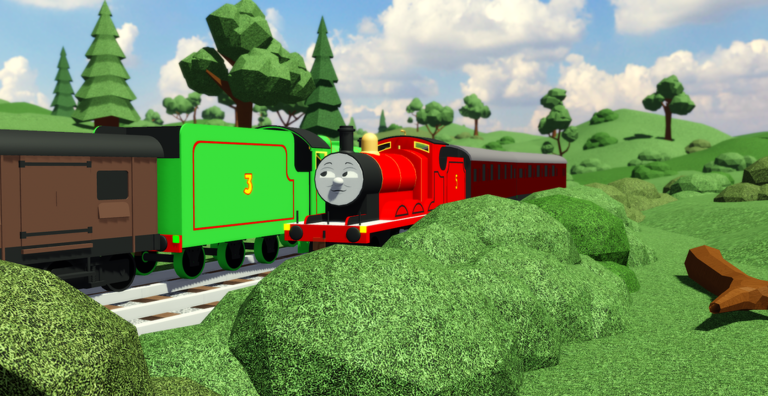
Donald & Douglas are among the most requested unlocks in Blue Train With Friends. The Scottish twin engines arrive through a dedicated mission that starts at the Knapford shop with McBunn, not by endlessly searching empty Little Western sidings. This guide walks through starting the mission, completing objectives, claiming the twins, earning the rare Donald & Douglas badge, and customizing tender numbers and looks afterward.
New drivers should be comfortable with VehicleSeat controls and the mission menu — see Getting Started and Unlock Missions — before tackling this longer unlock.
Why the twins feel rare
On the Roblox experience badge list, Donald & Douglas sits at Impossible-tier ownership, far below many other badges. That rarity reflects how many visitors never finish the mission, not a paid gate. If friends already have the twins and you do not, you simply have not completed McBunn’s chain yet.
Once unlocked, the twins shine on the Little Western and anywhere a double-header looks right. Pair this page with Find Engines so you know where to take them after the claim.
Step 1 — Talk to McBunn at the Knapford shop
Go to Knapford Station and find the shop. Look for McBunn and interact / talk to start the Donald & Douglas mission. Community comments consistently point players to this NPC when they ask how to unlock the twins.
Tips for the start:
- Leave any VehicleSeat so the talk prompt can appear.
- Stand close; shop crowds sometimes block clicks.
- Confirm a new mission row appears in the mission menu before you leave Knapford.
- If McBunn does not respond, rejoin and try again during a quieter moment.
Do not skip this step. Hunting western yards without an active mission wastes time.
Step 2 — Complete every mission objective
Open the mission menu and read the live objectives. The Donald & Douglas chain can include travel, interaction, and precision or “stunting” style steps that frustrate rushed players — comments on mission videos often mention difficulty on particular parts. Follow the in-game text exactly rather than inventing shortcuts.
General advice while the mission is active:
- Keep a reliable engine for travel between objective markers.
- Brake early; failed precision steps often come from excess speed.
- Rejoin if an objective refuses to check off after a correct action.
- Use chat to ask experienced drivers for hints without demanding they complete it for you.
- Watch a recent walkthrough video (including the embedded mission-added clip on this page) only as a visual aid — UI labels in your build are authoritative.
Because editions differ (Classic versus Deluxe, seasonal overlays), expect small layout changes. Halloween decorations or mainline extensions toward Suddery Junction should not remove McBunn, but they can alter camera sightlines around Knapford.
Step 3 — Claim Donald & Douglas in the mission menu
When every objective shows complete, claim the reward from the mission menu. The twins should become available to drive. Spawn them, sit, and take a short test move to confirm seats work.
If claim is unavailable, an objective is still incomplete — reopen the list and hunt the missing check. If claim succeeds but models are missing, rejoin and check unlock lists, then search Little Western and related yards.
Step 4 — Earn the Donald & Douglas badge
Completing the unlock is tied to the Donald & Douglas Roblox badge (“The twin engines!”). Watch for the badge notification after claim. If engines appear without a badge toast, wait briefly, check the experience badge page, and restart the client if needed. More badge context sits in the Badges guide.
Liveries, faces, toggles, and tender numbers
After unlocking:
- Scroll the UI for faces and toggles on each twin.
- Open the livery system if paints are available for the models in your patch.
- Set tender numbers by pressing the tender buffers or running board so Donald and Douglas stay visually distinct in double-headers.
Detailed control notes live in Controls. Take screenshots once numbers and faces look right — twin consists are a favorite meet centerpiece.
Where to drive them
The Little Western is the thematic home for Duck, Oliver, and the twins. Run a gentle western circuit, practice platform stops, and invite a friend to take the second twin. Avoid blocking busy Knapford throats during peak hours while you learn their braking.
If you enjoy industrial contrast, bring one twin toward the Lead Mines only after you know the invisible-track warning on the left approach — do not risk a brand-new unlock on buggy geometry during your first victory lap.
Common mistakes
Searching spawns only. Without McBunn, the mission never starts.
Forgetting to claim. Objectives done in the world still need the menu claim.
Clicking the wrong buffers. Tender numbers use tender buffers / running board, not random front buffers.
Giving up on a hard step. Take a break, watch a clip, then retry with lower speed.
Mixing badge myths with Trackrooms. An unseen world is a separate Tidmouth / off-map easter egg; it does not replace the twins mission.
Session plan for unlocking the twins
- Arrive at Knapford; optional quick claim of nearby paint-bucket or blueprint missions so the menu feels familiar.
- Talk to McBunn; verify the Donald & Douglas mission is active.
- Work objectives in order with deliberate driving.
- Claim twins; confirm badge.
- Set tender numbers and faces; run a Little Western lap.
- Optional: update your personal roster notes against the Tier List and share tips on Players etiquette for twin meets.
After the unlock — what next?
With Donald & Douglas owned, return to unfinished exclusives (Rebecca, Furness Edward, A1 Henry), explore seasonal engines from Updates, or chase remaining badges. The twins mission is a milestone: it proves you can follow a multi-step Blue Train With Friends objective chain end to end.
Keep McBunn’s location in mind when helping newer players. A clear “talk to McBunn at the Knapford shop” tip prevents hours of empty siding searches — the same tip that unlocks this page’s entire purpose.
Enjoy the double-header. Caledonian humor optional; good braking mandatory.
Frequently Asked Questions
Quick answers for Blue Train With Friends players.
Who starts the Donald and Douglas mission?
Talk to McBunn at the shop at Knapford Station. The mission will not progress correctly if you only search for free spawns on the Little Western.
Do I get a badge for unlocking the twins?
Yes. Completing the unlock is tied to the Donald & Douglas Roblox badge, which remains one of the rarer badges on the experience.
How do I change tender numbers on Donald or Douglas?
Press or click the tender buffers or running board interactable after the twins are unlocked. Confirm the number from a short distance.
The mission step is too hard — what should I do?
Slow down, rejoin if the checkpoint failed to register, and use a recent walkthrough only as a visual reference while trusting your in-game objective text.