Blue Train With Friends F3X Building Guide
Creative placement, crash scenes, and polite builds on Sodor.
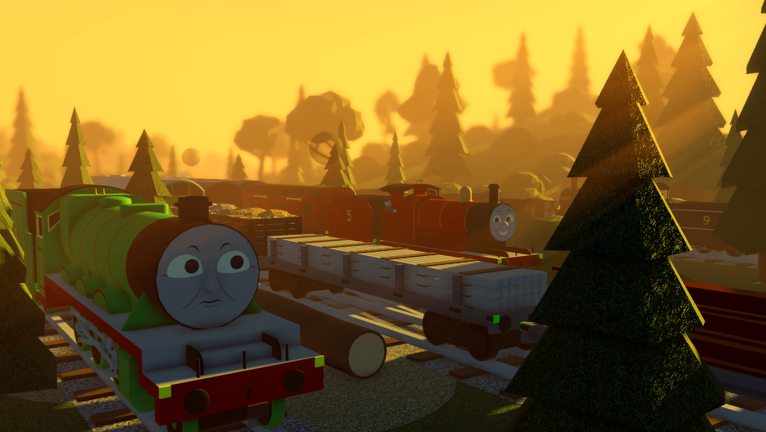
Blue Train With Friends is a free-drive Thomas & Friends inspired Roblox sim on the Island of Sodor, but it is not only about VehicleSeat running. Mini Update #42 brought (or expanded) official in-game F3X building tools so friends can stage yards, pose props, and film crash or rescue scenes without leaving Place 77958375146330. This guide explains safe creative use, move / rotate / scale basics, etiquette that keeps the mainline open, and settings habits that stop one build from ruining a 15-player hangout.
If you still need day-one driving comfort, start with Getting Started and Controls. F3X is optional creative tooling—not a shortcut for missions, badges, or engines. For why this wiki rejects unverified executors, read the Scripts Hub.
What Mini Update #42 changed
Community and Dev Team messaging around Mini Update #42 highlight in-game F3X as the creative layer for Blue Train With Friends. Instead of pasting third-party loadstrings, you open the experience’s own building tools, select parts or props the game allows you to edit, and shape a scene. Typical uses players film include:
- Temporary crash tableaux beside a quiet siding
- Photo sets with barrels, crates, or seasonal props
- Yard rearrangements for a private meet
- Teaching moments where a friend freezes a consist for camera work
Treat F3X as a session tool, not permanent map editing. Public servers reset, other players move, and staff can ask you to clear clutter. Prefer friend or private servers when you want long diorama work.
Safe creative use before you build
- Confirm tools are available on your current server and role. If F3X UI never appears, rejoin after the update window or check Discord / @BlueTrainWithF1 for temporary disables.
- Park your engine clear of junctions before you enter build mode. Leaving a loco on a throat while you resize props is the fastest way to anger a full server.
- Scout a scrap corner — a dead-end siding, empty yard road, or off-path grass — for your first move / rotate / scale tests.
- Announce in chat when you start a large scene on a public server: “Building off the branch near X for five minutes.”
- Plan a cleanup before you place the first prop. Know which pieces you will delete or park neatly when you leave.
Never use F3X to trap players, bury spawn pads, delete event decorations, or fake “admin” power. That is griefing, not creativity, and it can get you reported. The Scripts Hub spells out ban risk for external executors; in-game tools still require polite play.
Move, rotate, and scale basics
Exact button labels can shift between patches, but the workflow stays familiar to anyone who has used Building Tools by F3X style kits on Roblox:
Move
Select a prop, enter move mode, and drag along the axes. Nudge in small steps near running rails so you do not clip buffers or platform edges. If a part jumps wildly, undo or reset rather than stacking more offsets.
Rotate
Rotate for camera angles and crash poses—tilted wagons, leaning crates, engines “off the road.” Keep rotations readable; a 90-degree tip reads better on mobile cameras than a random twist that clips the ground.
Scale
Scale up for dramatic debris or down for detail props. Oversized walls that block sightlines at Tidmouth or Knapford are the top complaint on public servers. Prefer modest scales unless everyone agreed to a closed sandbox session.
Collisions and anchoring habits
When collision toggles exist, test whether trains can still pass. A beautiful set that softlocks the branch fails the session. Anchor only what must stay put for a photo, then remove temporary anchors after the shot.
Practice the three tools on scrap first, then rebuild the real scene once your muscle memory is steady. The embedded Mini Update #42 overview on this page helps you recognize the tool strip layout if the UI feels unfamiliar.
Etiquette: do not block the mainline
Blue Train With Friends servers hold 15 players. One selfish build affects everyone.
- Keep the mainline clear through Tidmouth, Knapford, Harbour approaches, and the Suddery Junction extension. Stage crashes on sidings, not on the through road.
- Leave platform faces open so other drivers can stop for passengers and screenshots.
- Do not bury engine spawns under giant props. If someone cannot sit a free loco because of your wall, you failed etiquette.
- Ask before editing another player’s F3X work. Rebuild together or hop servers.
- Respect seasonal sets. Halloween decorations and Harbour scenery are developer content—do not “improve” them by deleting or burying props.
- Clean up on exit. Delete your scene or shove it into a clearly marked dead end before you AFK.
Map context helps: learn quiet corners via Map and Locations so creative sessions do not collide with mission traffic toward the Lead Mines or busy Harbour throats.
Settings and performance tips
Creative mode eats attention and sometimes frames. Practical habits:
- Lower Roblox graphics if decorated Halloween zones plus dense F3X props stutter on your device.
- Pull the camera out before rotating large assemblies so you see clip points early.
- On mobile, collapse unused HUD panels while building; touch precision is harder than mouse.
- Save ambitious crash films for quieter servers or private sessions when available.
- After a patch, re-check tool permissions—Mini Update follow-ups can tweak who may build.
Pair F3X with normal driving skills from Controls. You still need clean stops and reseats when you switch from builder to driver mid-session.
Crash scenes and photo workflows
A good crash scene is staged, timed, and temporary:
- Agree roles in chat (builder, camera, “victim” engine, recovery loco).
- Clear the chosen siding of live traffic.
- Pose wagons and debris with move / rotate / scale.
- Drive the hero engine in slowly for the take; do not yeet through a public junction.
- Capture screenshots or clips.
- Restore the siding before you leave.
If your goal is Halloween atmosphere, combine F3X with seasonal landmarks from Halloween Engines and patch notes on Updates—without covering Suddery decorations that other players came to see.
What F3X is not for
- Unlocking Donald & Douglas, BR Rebecca, or Lead Mines rewards
- Skipping badge requirements such as An unseen world
- Injecting external scripts or “infinite engines” menus
- Griefing Harbour freights or branch meets
Legitimate progression still runs through missions, exploration, and official roster drops. Creative tools sit beside that loop, never above it.
Suggested F3X practice plan
- Warm up with a normal lap so you remember junctions (Getting Started).
- Open F3X in a scrap yard and practice move, then rotate, then scale on one prop.
- Build a tiny three-prop photo set off the running line.
- Invite one friend to drive through for a camera test.
- Delete everything and confirm the road is clear.
- Only then attempt a larger crash tableau or Harbour backdrop.
Skim Updates whenever a mini patch mentions building tools, and keep the Scripts Hub bookmarked so you never confuse official F3X with shady loadstrings.
Master polite F3X and Blue Train With Friends becomes a shared film set as well as a railway—without blocking the next driver’s path to Elsbridge.
Frequently Asked Questions
Quick answers for Blue Train With Friends players.
When did F3X arrive in Blue Train With Friends?
In-game F3X building tools were highlighted around Mini Update #42. Rejoin a fresh server after that update window so the tool UI can load.
Do I need F3X to unlock engines or badges?
No. Missions, free spawns, and badges work without building tools. F3X is for creative placement and scenes only.
Where should I practice move, rotate, and scale?
Use a quiet siding or empty yard away from the mainline. Announce larger builds in chat on public 15-player servers.
Is blocking the mainline with props allowed?
No. Keep through roads, platforms, and spawn pads clear. Stage crashes on sidings and clean up before you leave.
Are third-party building scripts safer than in-game F3X?
No. Prefer official in-game F3X. External executors risk bans—see the Scripts Hub for warnings.